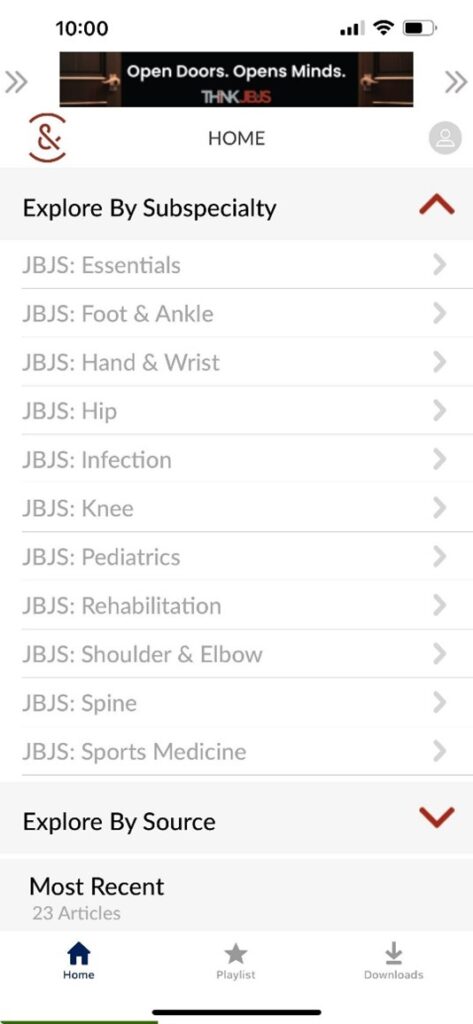
Welcome to the JBJS Audio App

Stay Current with JBJS. Wherever You Listen.
JBJS Audio gives you another way to experience the content you trust. Listen during your commute, while traveling, between cases, or anytime listening is more convenient than reading.
Access expert commentary, specialty updates, author insights, podcasts, and more from across the global orthopaedic community.
Why JBJS Audio?
Orthopaedic professionals are busier than ever. JBJS Audio helps you stay connected to trusted research, expert interpretation, and clinical insights when you don’t have time to sit down and read.
Whether you’re driving to work, traveling, exercising, or between cases, JBJS Audio makes it easy to keep learning on your schedule.
What’s Included?
Expert Commentary
Thoughtful analysis from leading experts discussing impactful JBJS research and developments in orthopaedics.
Specialty Updates
Annual reviews highlighting the most important advances and clinically relevant research across orthopaedic subspecialties.
Author Insights
Hear directly from authors as they discuss the background, findings, and clinical relevance of their published work.
Audio Article Summaries
Concise audio overviews of selected JBJS articles and video summaries.
Podcasts
Including:
- OrthoJOE with Mo Bhandari,MD and Marc Swiontkowski,MD
- Your Case Is On Hold (YCIOH) with Andrew Schoenfeld,MD and Ayeesha Abdeen,MD
Community Voices
Selected OrthoCorps stories and other audio content that captures the experiences and perspectives of the orthopaedic community.
A Reimagined JBJS Experience
JBJS Audio reflects the evolution of JBJS, connecting listeners to trusted research, expert interpretation, global perspectives, and new ways of engaging with orthopaedic knowledge.
From clinical insight and specialty-focused education to podcasts and community voices, JBJS Audio brings the orthopaedic community together wherever you are.
Get Started Today
Register for free and start listening to JBJS content anytime, anywhere.

- Visit the link below to download the app for iOS and Android.
https://modioinfo.com/jbjsaudio/home/ - After installation, open the app and follow the prompts to create your account.
- Important: The JBJS Audio App uses its own login, which is different from your standard JBJS login.
You will set up a new username and password directly in the app.